How to Protect Yourself🛡️

6 min read

By now, you know the threats are real phishing, malware, spyware, and ransomware are all out there, waiting for a small mistake. But here's the good news: you don't need to be a tech expert to stay safe. You don't need expensive tools or complicated software either.

Most attacks succeed because of small, everyday mistakes a weak password, an ignored update, or a link clicked without thinking. The truth is, protecting yourself is often about a few simple habits, not big technical skills. Once you build these habits, you make it much harder for hackers to find an easy way in.
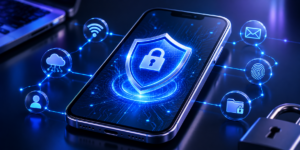
Sleek smartphone cybersecurity illustration showing a secure locked network database shield.

Let's go through them one by one. Click on each (+) sign to reveal each way

A weak password is like leaving your front door unlocked. Avoid using simple things like your name or birthday. Instead, mix letters, numbers, and symbols to make it harder to guess. A strong password is one of the easiest ways to keep hackers out.

This adds an extra layer of protection. Even if someone gets your password, they still need a special code sent to your phone or email to get in. It only takes a few seconds to set up, but it makes your account much harder to break into.

Many apps ask for access to your camera, microphone, or location, even when they don't need it. Go into your phone settings and turn off permissions for apps that don't really require them. This limits what hackers or apps can secretly access.

Updates are not just new features. They often fix security holes that hackers use to break in. Turn on automatic updates for your phone and apps so you are always protected with the latest fixes.

If a message or email looks suspicious, do not click on it, even if it looks like it's from your bank or a delivery service. Hackers often disguise dangerous links to look completely normal. When in doubt, go directly to the official website instead of clicking the link.

A good security app can catch threats before they cause harm. It scans for harmful files, blocks dangerous websites, and warns you about risky downloads. Think of it as a guard working quietly in the background.

Public WiFi in cafes or airports may not be secure. Hackers can sometimes see what you are doing on the same network. Avoid checking your bank account or entering passwords when connected to public WiFi. If you must, use a VPN for extra protection.

If ransomware ever locks your files, having a backup means you won't lose everything. Save copies of your important files on a separate drive or a cloud service. This way, even if something goes wrong, your data is still safe.

These small habits take just a few minutes, but they make it much harder for hackers to get in. Protecting yourself online does not have to be complicated. It just takes a little awareness and consistency.

Next: Wrapping It All Up →